
很多人的产品,死在了"还没找到服务器"里。
想验证一个想法,要先学 AWS、配 Nginx、搞 Docker。还没开始写代码,环境已经让人放弃了。
我现在验证一个想法,从写代码到全球上线,不超过 30 分钟,成本 $0。
用的是 Cloudflare Workers 和 Pages。本期手把手做一个等待列表——产品没上线,先把用户邮箱收起来。
Workers 和 Pages 是什么
Workers 是 Cloudflare 的无服务器计算平台。
你写一段 JavaScript/TypeScript,wrangler deploy 一行命令,代码就同时跑在全球 335 个城市的服务器上。没有服务器要管,没有 Nginx 要配,冷启动几乎为零。
免费额度:每天 10 万次请求。月活 1 万以下的产品,完全免费。
Pages 是 Cloudflare 的前端部署平台,对标 Vercel。
连接 GitHub 仓库,每次 push 自动构建部署。支持 React、Vue、Next.js、Astro 等所有主流框架。每个 PR 自动生成预览链接。
两者的关系:
- Pages 管前端(HTML、CSS、JS)
- Pages Functions = Workers,管后端 API
- 两者共用一个项目,一次部署,前后端同时上线
动手:30 分钟部署一个产品等待列表
这是每个一人公司都会用到的东西:产品还没做完,先把等待列表上线,收集感兴趣的用户邮箱。
我们要做的:
- 一个页面,用户输入邮箱点提交
- 后端 API,把邮箱存进数据库
- 完全运行在 Cloudflare,$0
第一步:安装工具,创建项目(5 分钟)
安装 Wrangler(Cloudflare 命令行工具)并登录:
npm install -g wrangler
wrangler login
浏览器弹出授权页面,点允许。
创建项目:
npm create cloudflare@latest waitlist -- --type=hello-world --ts --no-git --no-deploy
cd waitlist
项目结构:
waitlist/
  src/
    index.ts       ← 这里写后端 API
  public/          ← 这里放前端页面
  wrangler.jsonc
第二步:创建数据库(3 分钟)
D1 是 Cloudflare 的 SQLite 数据库,免费 5GB。
wrangler d1 create waitlist-db
命令返回一个 database_id,把它填进 wrangler.jsonc:
"d1_databases": [
  {
    "binding": "waitlist_db",
    "database_name": "waitlist-db",
    "database_id": "这里填你的 id"
  }
],
"assets": { "directory": "./public/", "run_worker_first": ["/api/*"] }
建表:
wrangler d1 execute waitlist-db --command \
  "CREATE TABLE emails (id INTEGER PRIMARY KEY AUTOINCREMENT, email TEXT UNIQUE NOT NULL, created_at DATETIME DEFAULT CURRENT_TIMESTAMP);"
第三步:写后端 API(10 分钟)
在 src/index.ts 里写 Worker 入口:
export default {
  async fetch(request: Request, env: Env): Promise<Response> {
    const url = new URL(request.url);
    const headers = {
      "Content-Type": "application/json",
      "Access-Control-Allow-Origin": "*",
    };

    if (request.method === "OPTIONS") {
      return new Response(null, { headers });
    }

    if (url.pathname === "/api/subscribe" && request.method === "POST") {
      try {
        const { email } = await request.json<{ email: string }>();

        if (!email || !email.includes("@")) {
          return Response.json({ error: "邮箱格式不对" }, { status: 400, headers });
        }

        await env.waitlist_db.prepare(
          "INSERT INTO emails (email) VALUES (?)"
        ).bind(email).run();

        return Response.json({ message: "成功加入等待列表!" }, { headers });

      } catch (e: any) {
        if (e.message?.includes("UNIQUE constraint")) {
          return Response.json({ error: "这个邮箱已经登记过了" }, { status: 409, headers });
        }
        return Response.json({ error: "出错了,请重试" }, { status: 500, headers });
      }
    }

    return new Response("Not Found", { status: 404 });
  },
} satisfies ExportedHandler<Env>;
run_worker_first 配置让 /api/* 路由走 Worker,其余路由自动走 public/ 静态文件。不需要配路由框架,不需要写 Express。
第四步:写前端页面(5 分钟)
在 public/ 目录下新建 index.html:
<!DOCTYPE html>
<html lang="zh">
<head>
  <meta charset="UTF-8">
  <meta name="viewport" content="width=device-width, initial-scale=1.0">
  <title>即将上线</title>
  <style>
    body {
      font-family: -apple-system, sans-serif;
      display: flex;
      align-items: center;
      justify-content: center;
      min-height: 100vh;
      margin: 0;
      background: #0f0f0f;
      color: #fff;
    }
    .container { text-align: center; max-width: 480px; padding: 2rem; }
    h1 { font-size: 2rem; margin-bottom: 0.5rem; }
    p { color: #888; margin-bottom: 2rem; }
    .form { display: flex; gap: 0.5rem; }
    input {
      flex: 1;
      padding: 0.75rem 1rem;
      border: 1px solid #333;
      border-radius: 8px;
      background: #1a1a1a;
      color: #fff;
      font-size: 1rem;
    }
    button {
      padding: 0.75rem 1.5rem;
      background: #fff;
      color: #000;
      border: none;
      border-radius: 8px;
      font-size: 1rem;
      cursor: pointer;
      font-weight: 600;
    }
    #msg { margin-top: 1rem; min-height: 1.5rem; color: #888; }
  </style>
</head>
<body>
  <div class="container">
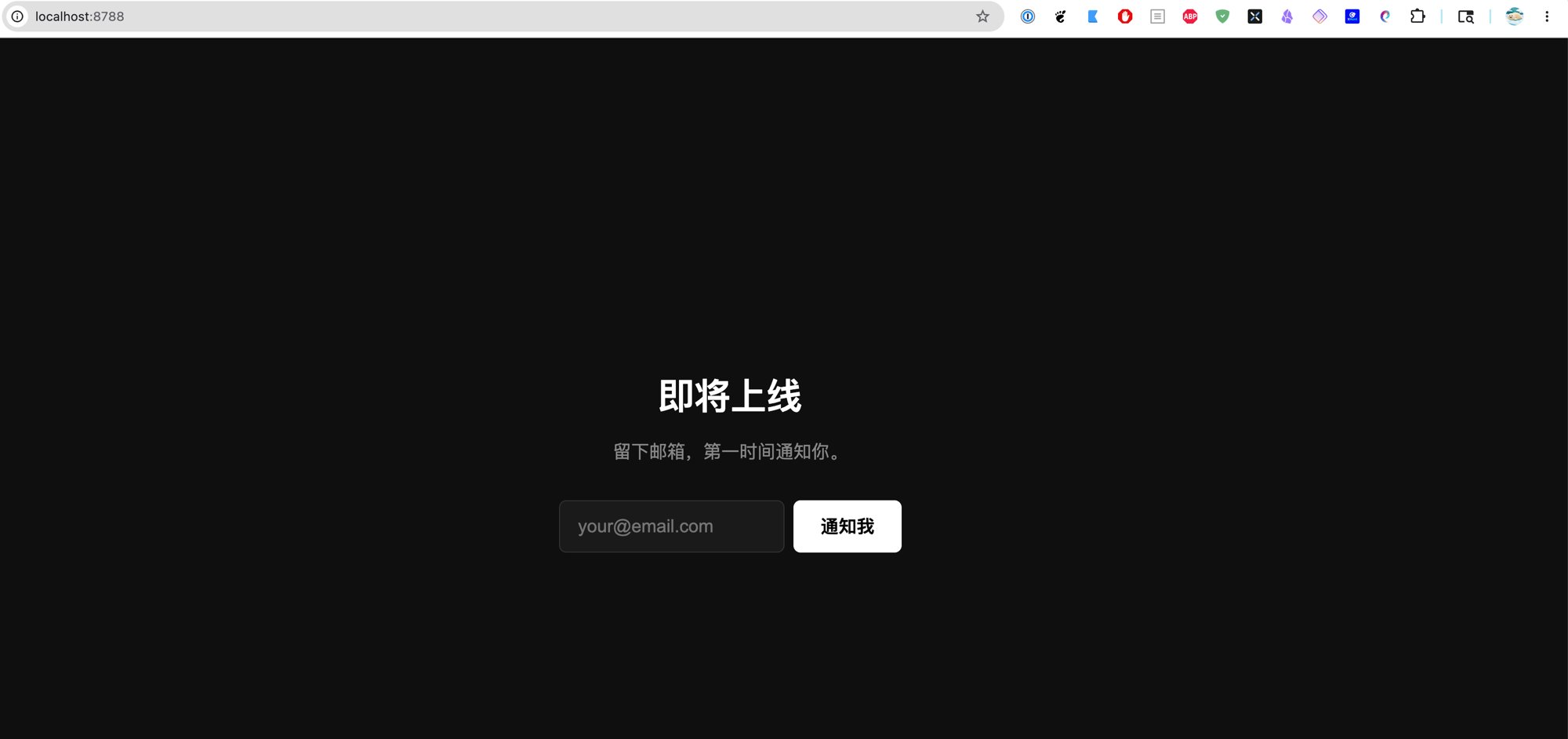
    <h1>即将上线</h1>
    <p>留下邮箱,第一时间通知你。</p>
    <div class="form">
      <input type="email" id="email" placeholder="[email protected]">
      <button onclick="subscribe()">通知我</button>
    </div>
    <div id="msg"></div>
  </div>

  <script>
    async function subscribe() {
      const email = document.getElementById("email").value;
      const msg = document.getElementById("msg");

      if (!email) { msg.textContent = "请输入邮箱"; return; }

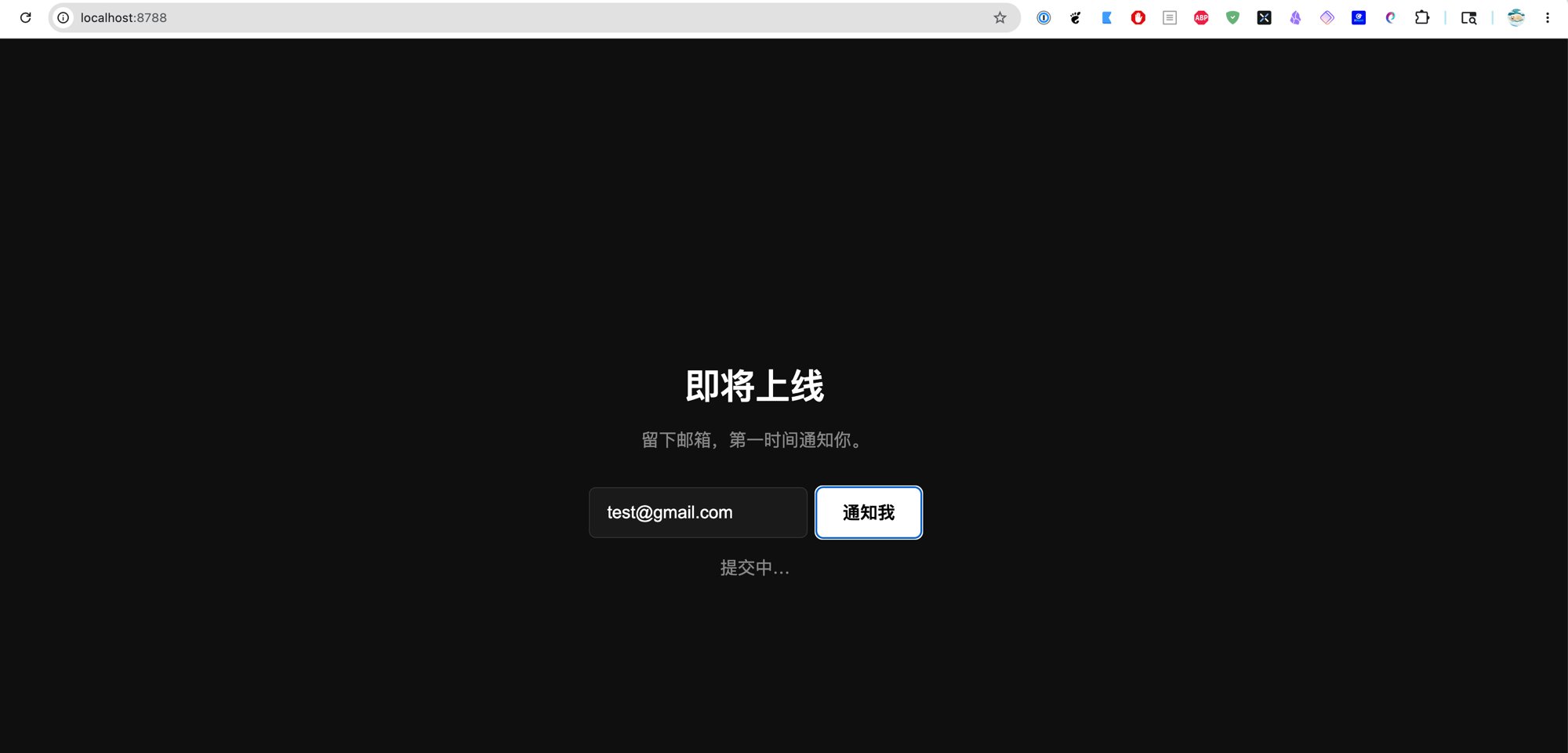
      msg.textContent = "提交中…";

      const res = await fetch("/api/subscribe", {
        method: "POST",
        headers: { "Content-Type": "application/json" },
        body: JSON.stringify({ email }),
      });

      const data = await res.json();
      msg.textContent = data.message || data.error;
      if (res.ok) document.getElementById("email").value = "";
    }
  </script>
</body>
</html>
第五步:本地测试(2 分钟)
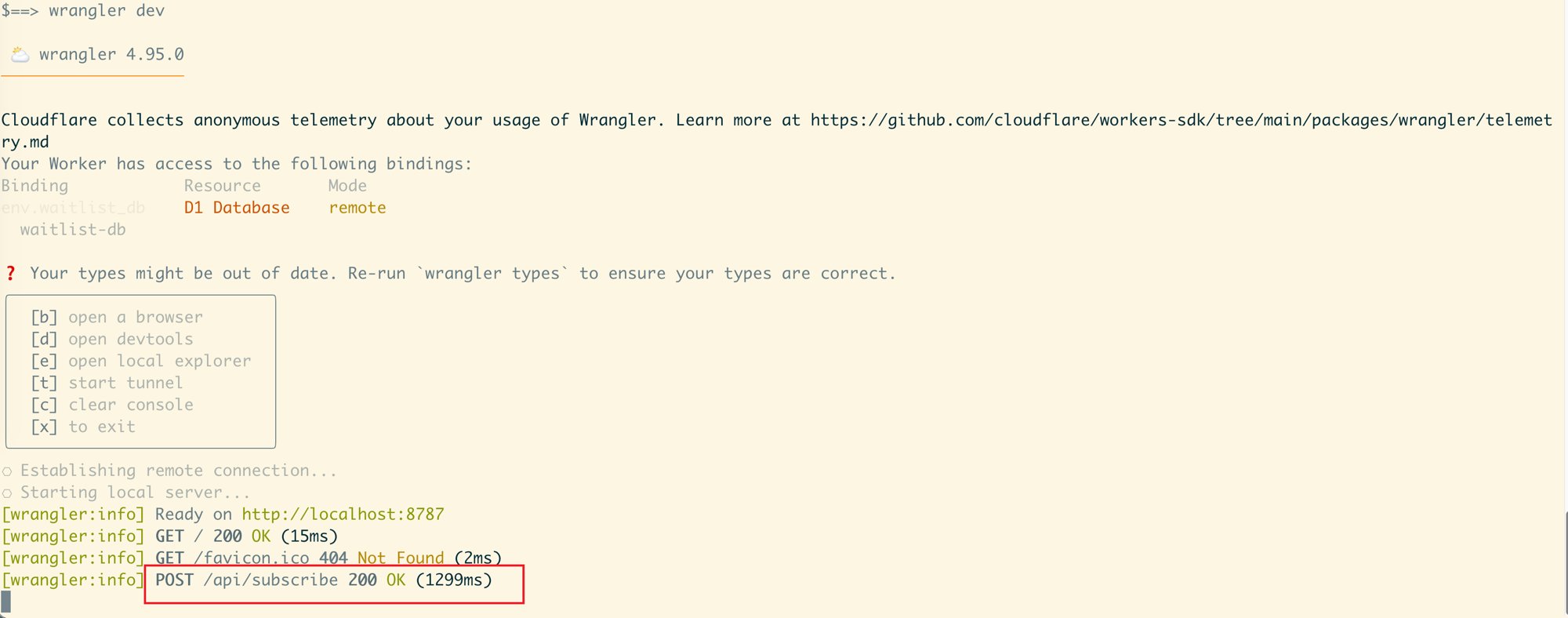
wrangler dev
打开 http://localhost:8787,填一个邮箱,点"通知我"。
验查数据库有没有写进去:
wrangler d1 execute waitlist-db --command "SELECT * FROM emails;"
第六步:部署上线(3 分钟)
wrangler deploy
两分钟后,你拿到一个地址:
https://waitlist.<your-subdomain>.workers.dev
全球可访问,自动 HTTPS,$0。
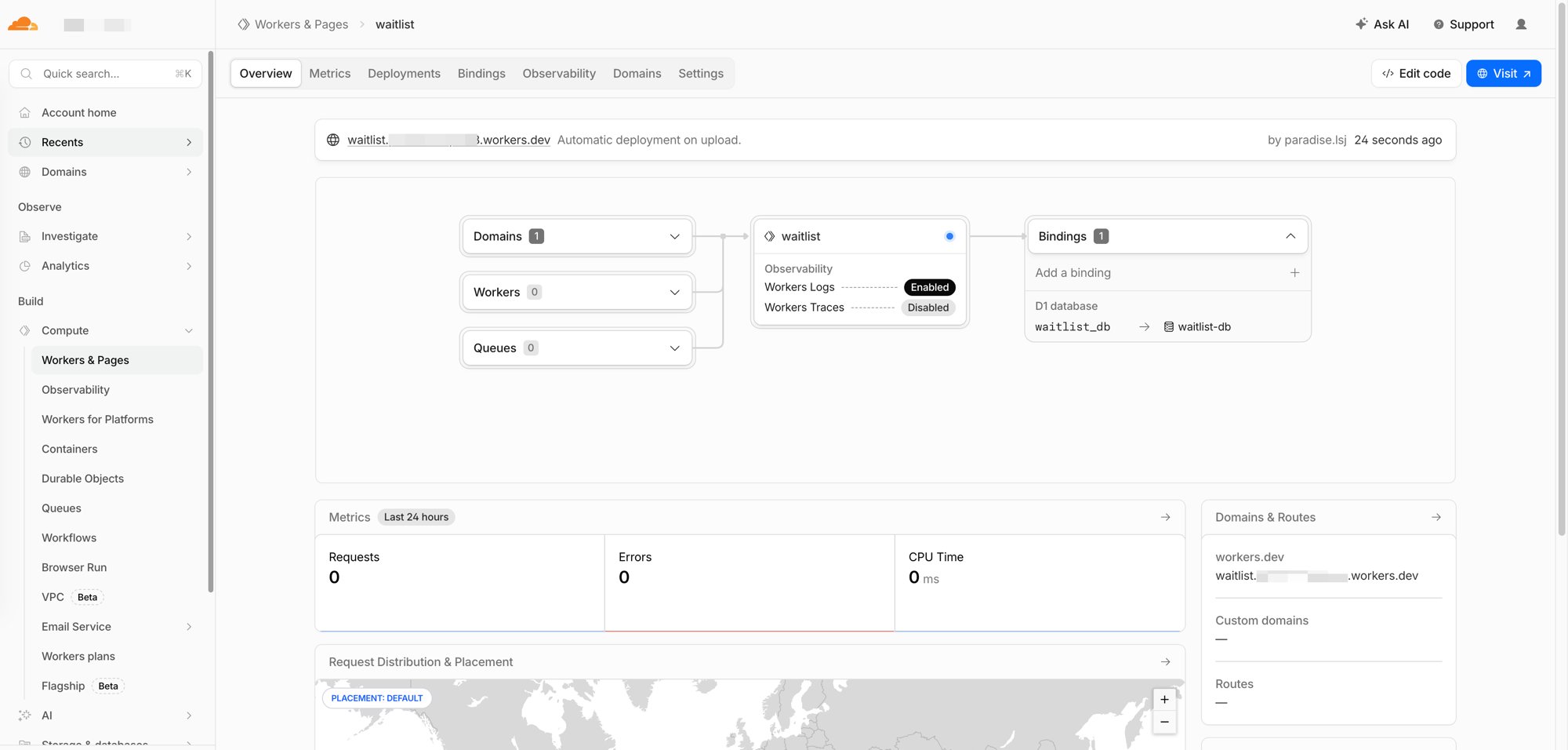
以后每次 git push,自动重新部署。
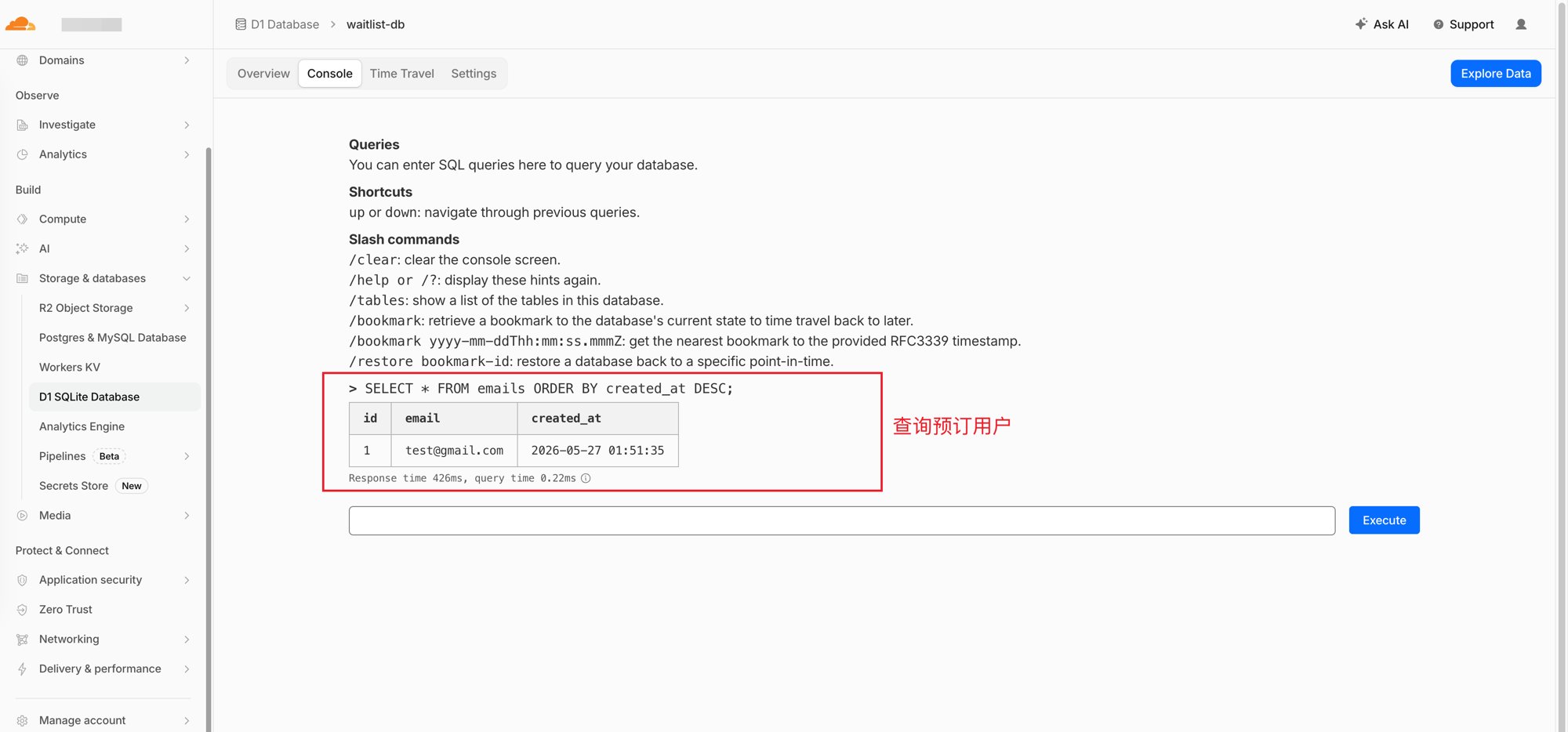
查看收集到的邮箱
随时可以查:
wrangler d1 execute waitlist-db --command "SELECT * FROM emails ORDER BY created_at DESC;"
或者在 Cloudflare 控制台 → D1 → 你的数据库 → 直接跑 SQL。
这套方案能撑多少用户
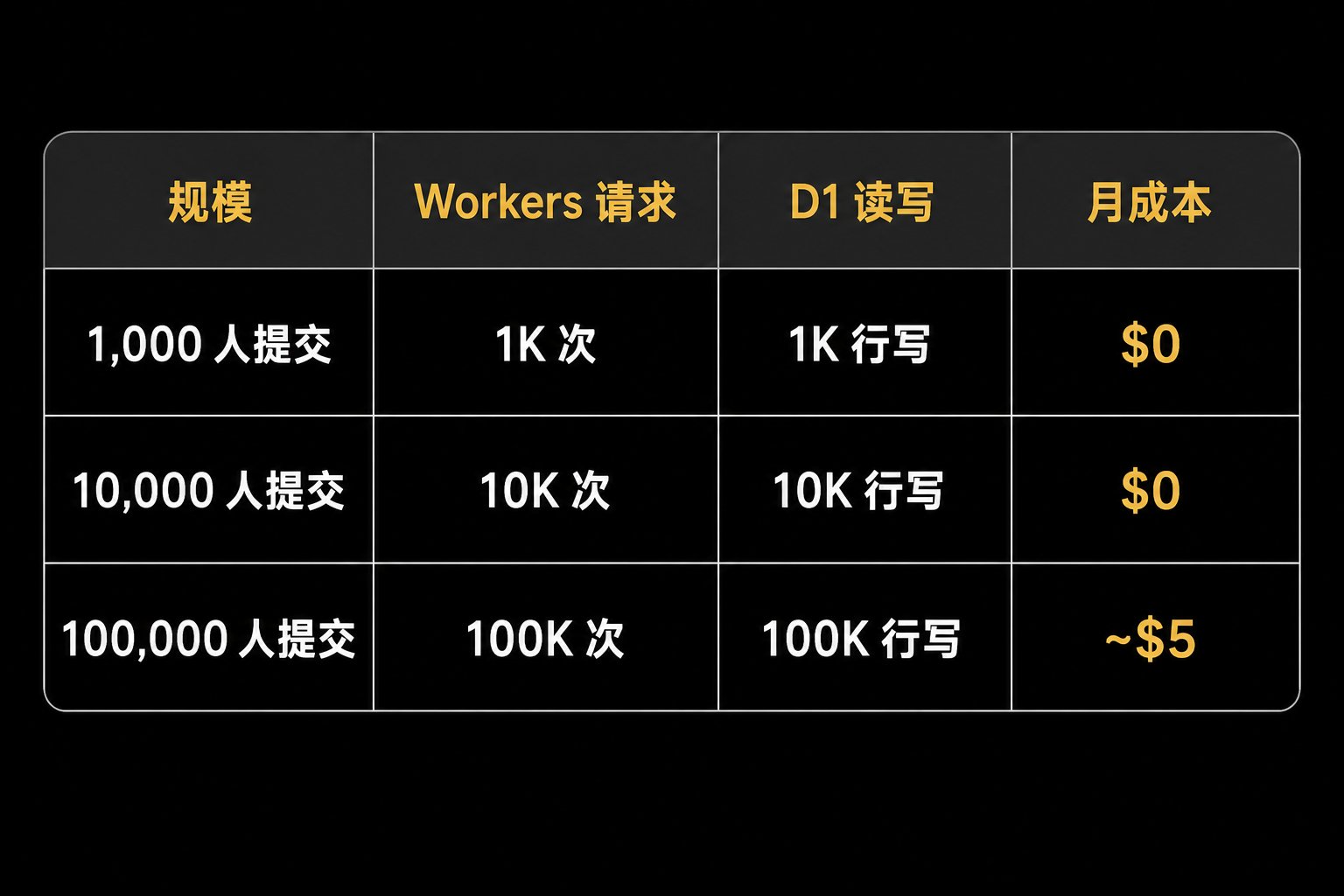
免费额度:每天 10 万次 Workers 请求 + 每天 10 万行 D1 写入。
产品没上线之前,用等待列表收邮箱,完全免费。
这期之后,你的一人公司有了
- 001 — 20 分钟注册域名
- 002 — GitHub Pages 建站
- 003 — 人在国内开美国银行卡
- 004 — 终身免费 Oracle VPS:4 核 24G,从申请到跑起来
- [005:全球免费的前后端部署平台] 本篇
下一期,我们在这套基础设施上,做一个真正能收钱的产品。
**mousepotato(土豆哥) | 美国计算机全奖博士 | 硅谷 11 年技术管理 | AI · OPC · 产品 | X **@iluciddreaming
关注我,获取 AI 前沿、技术、管理、产品、英语和硅谷生活见闻。